github.com/grafana/synthetic-monitoring-agent@v0.64.2/README.md (about) 1 [](https://github.com/grafana/synthetic-monitoring-agent/actions/workflows/build_and_publish_main.yaml) 2 [](https://github.com/grafana/synthetic-monitoring-agent) 3 [](https://goreportcard.com/report/github.com/grafana/synthetic-monitoring-agent) 4 [](https://pkg.go.dev/github.com/grafana/synthetic-monitoring-agent) 5 [](https://opensource.org/licenses/Apache-2.0) 6 7 <img src="img/logo.svg" width="100" /> 8 9 Synthetic Monitoring Agent 10 ========================== 11 This is the 'worker' for Grafana's [Synthetic Monitoring application](https://github.com/grafana/synthetic-monitoring-app). The agent provides probe functionality and executes network [checks](https://github.com/grafana/synthetic-monitoring-app/blob/main/README.md#check-types) for monitoring remote targets. 12 13 Please [install](https://grafana.com/grafana/plugins/grafana-synthetic-monitoring-app/installation) Synthetic Monitoring 14 in your Grafana Cloud or local Grafana instance before setting up your own private probe. You may need to generate a [new API key](https://grafana.com/profile/api-keys) to initialize the app. 15 16 17 Probes 18 ------ 19 Probes run [checks](https://github.com/grafana/synthetic-monitoring-app/blob/main/README.md#check-types) from 20 distributed locations around the world and send the resulting metrics and events directly to 21 [Grafana Cloud](https://grafana.com/products/cloud/) Prometheus and Loki services. 22 23 You can select 1 or more **public** probes to run checks from or [run your own **private** probes](https://grafana.com/docs/grafana-cloud/synthetic-monitoring/private-probes/) 24 from any environment you choose. 25 26 27 Run your own private probe 28 --------------------- 29 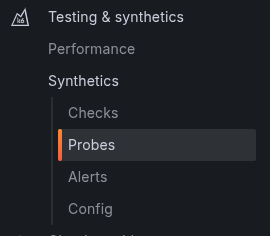 30 31 Please refer to [Private Probe docs](https://grafana.com/docs/grafana-cloud/synthetic-monitoring/private-probes/) for details. 32 33 See [examples/kubernetes](./examples/kubernetes) for the documentation and example yaml files 34 35 36 Docker Images 37 ------------- 38 We release 2 versions of the [Docker image](https://hub.docker.com/r/grafana/synthetic-monitoring-agent) for the agent, depending on whether or not Chromium is installed in the environment for use in browser checks. 39 40 Variants with the browser installed are tagged with the suffix `*-browser`. These images are substantially larger and shouldn't be used unless you need the browser functionality to keep memory requirements minimal. 41 42 These are built using the same multi-stage Dockerfile, so be aware that `Docker build` scripts failing to specify a build target will produce the larger image every time. 43 * Without chromium: `docker build --target release .` 44 * With chromium: `docker build .` or `docker build --target with-browser .` 45 46 47 Signals 48 ------- 49 50 The agent traps the following signals: 51 52 * SIGTERM: The agent tries to clean up and shut down in an orderly 53 manner. 54 * SIGUSR1: The agent disconnects from the API but keeps running checks. 55 After 1 minute elapses, the agent will try to reconnect to the API and 56 keep trying until it succeeds or it's killed. One possible use case is 57 upgrading a running agent with a newer version: after SIGUSR1 is sent, 58 the agent disconnects, allowing another agent to connect in its place. 59 If the new agent fails to connect, the old agent will reconnect and 60 take it from there. 61 You can also use `/disconnect` endpoint to send SIGUSR1 to process. 62 63 Readiness 64 --------- 65 66 You can use the `/ready` endpoint to check if probe has been able to 67 connect to the API and is ready to start processing checks. A status 68 code of 200 signals that the agent is ready. If the agent is not yet 69 ready, the response has a status code of 503. 70 71 Used in conjunction with the USR1 signal or `/disconnect` endpoint, 72 you can use this mechanism to ask a running agent to disconnect from the API, 73 and poll the `/ready` entrypoint in order to determine if the 74 new agent has been able to connect already.